June 26, 2020
Update Navigationssystem of a Skoda Octavia
Today I tried to update the navigation system of my Skoda Octavia and had some problems with the update. But in the end I was able to solve all problems, and I share my experience here.
First you need to download the new software, which can be done on the following page: updateportal.skoda-auto.com
The update had a size of 22GB, that’s why I would recommend a 32GB SD card. The most important part is that the card needs to be specially formatted for the update to work. Otherwise you always get an error message that the card could not be read.
On my Mac I opened Disk Utility and saw that the card was formatted as GPT and not as MBR.
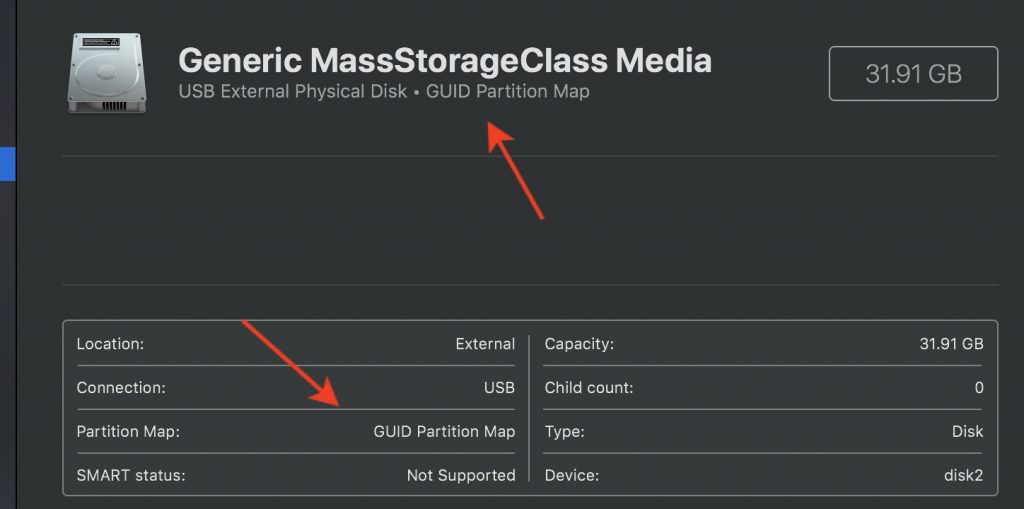
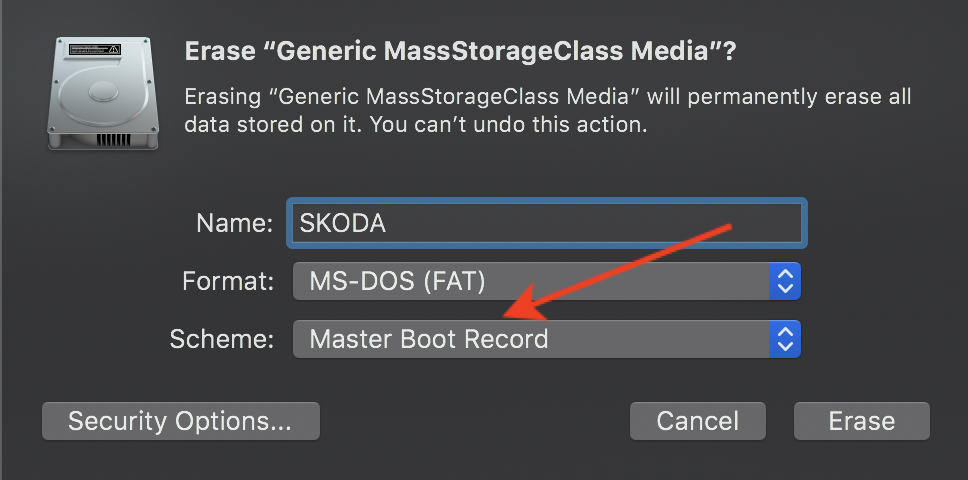
The navigation system of my Skoda can only read cards with MBR format for the update. So you just start Disk Utility, click on Erase, and choose MS-DOS (FAT) with Master Boot Record as the scheme.
At the end the volume needs to be formatted with a 4k block size, which can be done with the following commands.
# read out correct disk id
diskutil list

# format disk
sudo newfs_msdos -F 32 -b 4096 <disk identifier>

# Example
sudo newfs_msdos -F 32 -b 4096 disk2s1