January 7, 2021
vCenter Simulator for Developing purpose
I’m currently testing PyVmomi, Ansible and other tools for automation. The biggest problem is that I don’t always have a vCenter with enough hosts, VMs and other components on my laptop or other testing environment.
With a little bit of searching I found vcsim. It’s a vCenter API simulator: https://github.com/vmware/govmomi/tree/master/vcsim
And on Docker Hub I already found a version of vcsim in a container: https://github.com/nimmis/docker-vcsim
So with the following command you can just start a container simulating a vCenter environment.
# default
docker run -d -p 443:443 nimmis/vcsim

# if you need more hosts
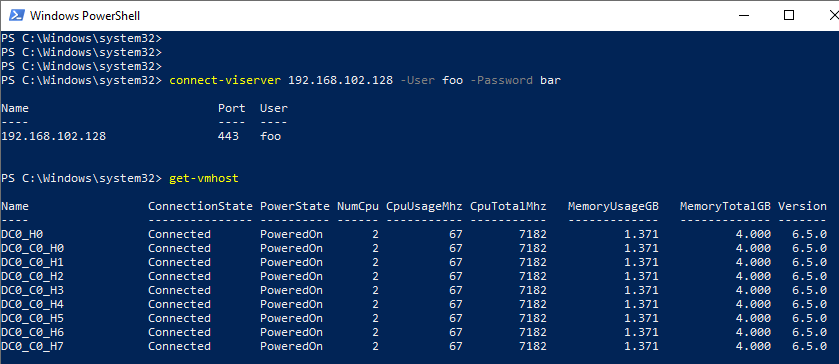
docker run -d -p 443:443 nimmis/vcsim --hosts 8
Here are additional options you can use with this docker image:
-E, --esxi                  Simulate ESXi host
-V, --vcenter                Simulate vCenter host (default)
-a, --apps (num)             Number of virtual apps per compute resource
-c, --cluster (num)          Number of clusters (default 1)
--dc, --data-centers (num)   Number of datacenters (default 1)
--ds, --data-stores (num)    Number of local datastores (default 1)
-f, --folders (num)          Number of folders
--hosts (num)                Number of hosts per cluster (default 3)
-h, --help                   This help
--pg, --port-groups (num)    Number of port groups (default 1)
--pod, --storage-pods (num)  Number of storage pods per datacenter
--pool, --resource-pools (num) Number of resource pools per compute resource
--sh, --standalone-host (num) Number of standalone hosts (default 1)
--trace                      Trace SOAP
--vm, --virtual-machines (num) Number of virtual machines per resource pool (default 2)
Then you can just use your favorite language to access the vCenter API. In this example I used PowerCLI.
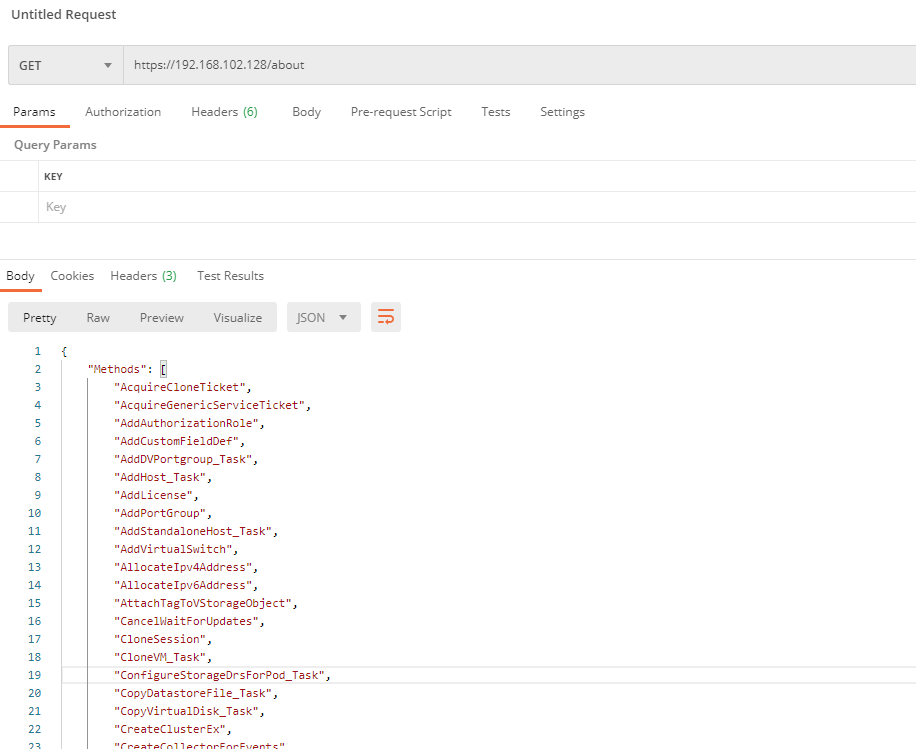
If you access the URL /about, you get all the methods and types that are supported (example with Postman).